People and AI agents, one team.
Nitoa is service management for the whole organisation. Every department gets its own AI agents for the routine work, and its people make the decisions that matter.
- In progressSeppoIT · PersonSetting up Kira's access to the finance system
- WaitingIT agentIT · AI agentOrdered Noa's laptop. Waiting for Seppo to approve.
- In progressEijaHR · PersonChecking Noa's contract
- DoneHR agentHR · AI agentAnswered 6 questions about holidays today
- In progressKiraFacilities · PersonGetting Noa's desk ready
- DoneFacilities agentFacilities · AI agentRegistered Noa's badge and booked the delivery
- In progressAI AgentEveryone · AI agentTalking with Roni about his VPN
- WaitingRoniSales · PersonApproving Noa's first-day plan
For employees
Ask in plain words in the portal, its chat, email or Teams, without knowing which department handles it. The portal carries your organisation's colours and domain, and every request shows what happens next.
The portal and the service catalogFor service teams
One inbox per department, with routing rules and SLAs that keep time visible. Journeys carry work across departments, and the knowledge base is what the AI answers from.
The inbox, routing and journeysFor the people in charge
Every agent has an owner, an autonomy level, a monthly budget, a log of what it did and an off switch. You decide what it may do, and you can undo it.
How agents are governed
Where work is going, in two and a half minutes
Why every team will include AI agents, and how Nitoa runs one onboarding across four departments, works in business systems such as SAP, Workday or Salesforce, and keeps people in charge of what matters.
Read the transcript
Soon, every team will include AI agents. Not as a feature inside a tool, but as coworkers. An agent that does real work needs what any new colleague needs: a name, a role, someone it reports to, clear limits, and a record of what it did. Most organisations aren't set up for that. Their work is still spread across inboxes, spreadsheets and separate tools.
Nitoa brings it together. People and AI agents, one team. Every department gets its own agents, one or several, each with one job. IT can have one for devices and one for access requests. Each agent knows its department's work, and sees only what its job needs. Suggest, draft, act with approval, or act on its own. You decide, agent by agent.
Noa starts on the third of November. Roni fills in one onboarding form. Eija in HR checks the contract. Then IT, Facilities and Finance do their parts at the same time, each from its own inbox. The IT agent prepares the laptop order, and Seppo approves it with one click. The Facilities agent registers the badge and sends Kiki's Delivery a one-task link. Mia sets up payroll.
Agents also work in the systems your business already runs on, such as SAP, Workday or Salesforce. A sales agent opens the order, and the pick list prints when the stock is in. A finance agent runs the credit check on a new customer. A purchasing agent suggests orders from demand and actual stock. A service agent writes the service report from the jobs done and the parts used. Price changes and customer data wait for a person to approve them.
Every AI action is in the activity log, with who did it and when. Actions can be undone, and people make the decisions that matter. And Noa? Noa asks in Teams, Slack, email, the portal or Claude, and always knows what happens next. Nitoa. People and AI agents, one team. Request early access at nitoa.app.
Every department gets its own agents
A department runs one agent or several, each with one job, like onboarding or access requests, and only the access that job needs.
- Knows the department's articles, forms and systems
- Gets only the access its job needs: HR's agent never sees IT's admin tools
- Answers to the department's people, who approve what matters
- Remembers what it learned, and wakes on a schedule or when something happens
- Stays inside its monthly budget, with a switch to stop it
- Job
- Handles password resets, access requests and first-line IT questions.
- Answers to
- Seppo
- Answer from the knowledge baseOn its own
- Reply to and resolve requestsOn its own
- Order hardware from the catalogWith approval
- Start a journeyNever
- Call business systemsNever
Agents hand over. People decide.
Choose how much an agent may do on its own. At every level, a person can see what it did and take over.
- Suggest: the agent finds the answer, a person does the work
- Draft: the agent writes, a person checks and sends
- Act with approval, or on its own, with every step logged
One onboarding, four departments
A supervisor starts an onboarding with one form. HR, IT, Facilities and Finance each do their part from their own inbox, with their own agents, and everyone sees where things stand.
Choose a level to see what each agent does in the run, and what is left for people.
Agents that work in your business systems
Agents work in the systems your business already runs on, such as SAP, Workday or Salesforce, with only the access their job needs.
- Open sales orders and print pick lists when the stock is in
- Run credit checks, suggest purchases from demand and stock, and write service reports
- Price changes and customer data updates wait for a person to approve them
| Action | Status |
|---|---|
| Checked order 40213 and told the customer it ships on ThursdaySAP · Customer Service agent | Done |
| Logged a complaint on the customer's account and opened a returnSalesforce · Customer Service agent | Done |
| Opened sales order 40219. The pick list prints when the stock arrives.SAP · Sales agent | Waiting |
| Ran a credit check on a new customer and suggested a €20,000 limitSAP · Finance agent | Needs approvalMia |
| Prepared a 4% price change for coffee beans from 1 DecemberSAP · Sales agent | Needs approvalRoni |
| Suggested 3 purchase orders from demand and stockSAP · Purchasing agent | Needs review |
| Wrote the service report from 2 jobs and 4 spare partsSAP · Service agent | Done |
| Updated Noa's start date to 3 NovemberWorkday · HR agent | Done |
You can see everything they did
AI Agent is the assistant everyone talks to, and the department agents do the rest. Every action any of them takes is logged with who approved it, and you can undo it.
| Time | Action |
|---|---|
| 09:14 | Cleared Lauri's VPN sessions and sent him the fixIT agent · Can be undone |
| 09:31 | Ordered a laptop for NoaIT agent · Approved by Seppo |
| 10:02 | Answered "How do I book a meeting room?"AI Agent · 2 sources |
| 10:20 | Sent the badge delivery to Kiki's DeliveryFacilities agent · Waiting for the vendor |
| 11:05 | Drafted a reply to a customer emailCustomer Service agent · Sent by Mia |
| 11:20 | Sorted a new request and sent it to HRAI Agent · Topic: payroll · Urgency: normal |
Ask once. We'll tell you what happens next.
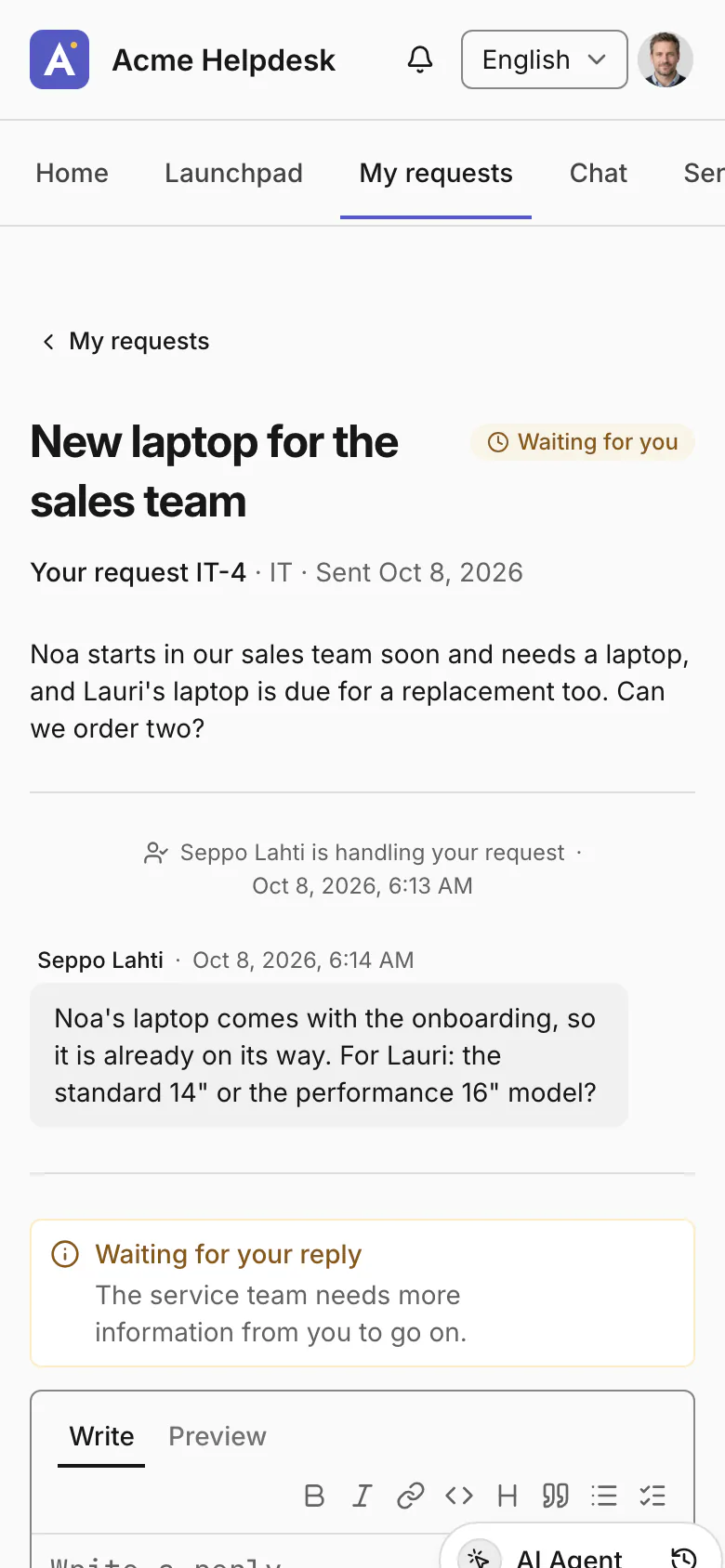
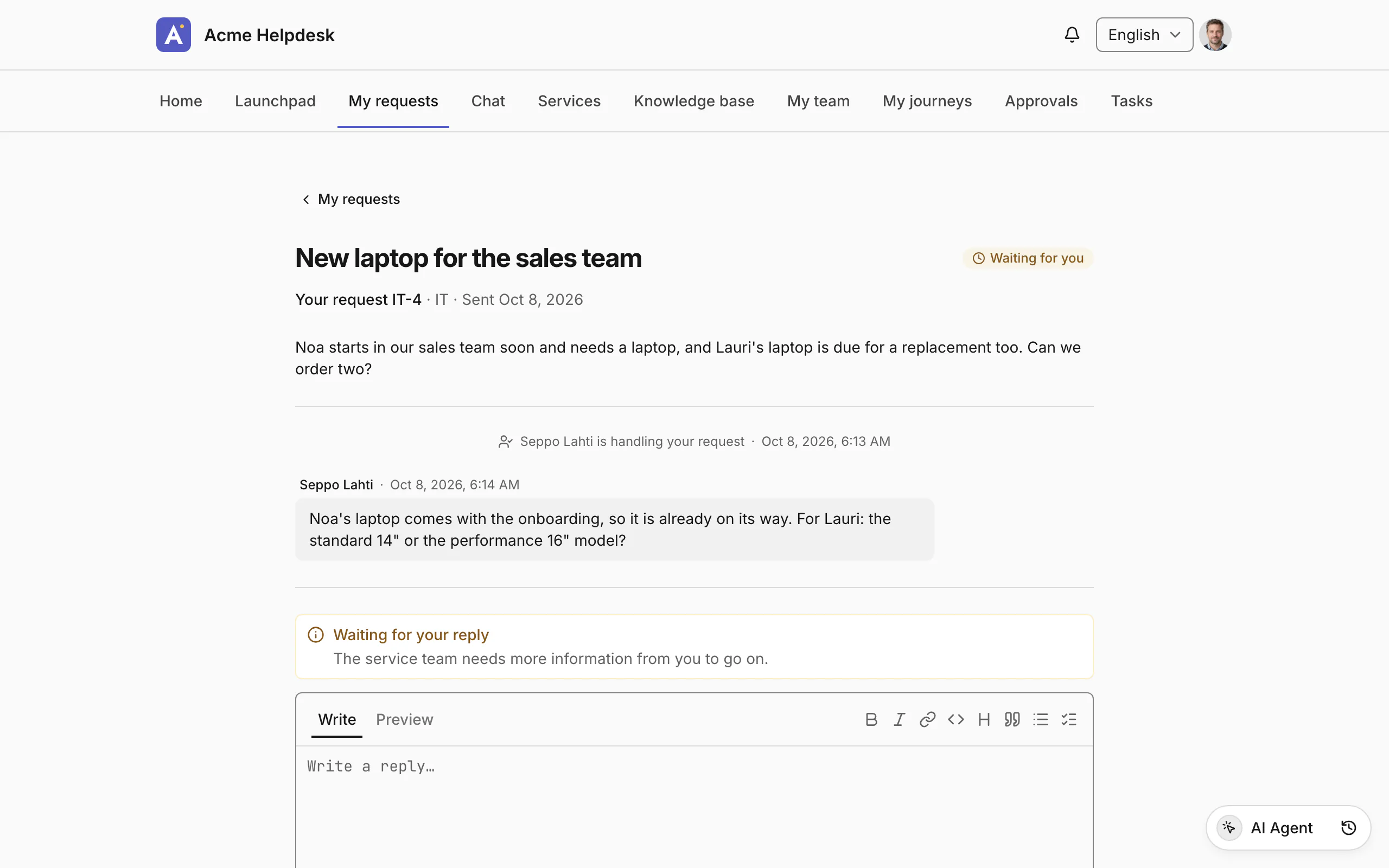
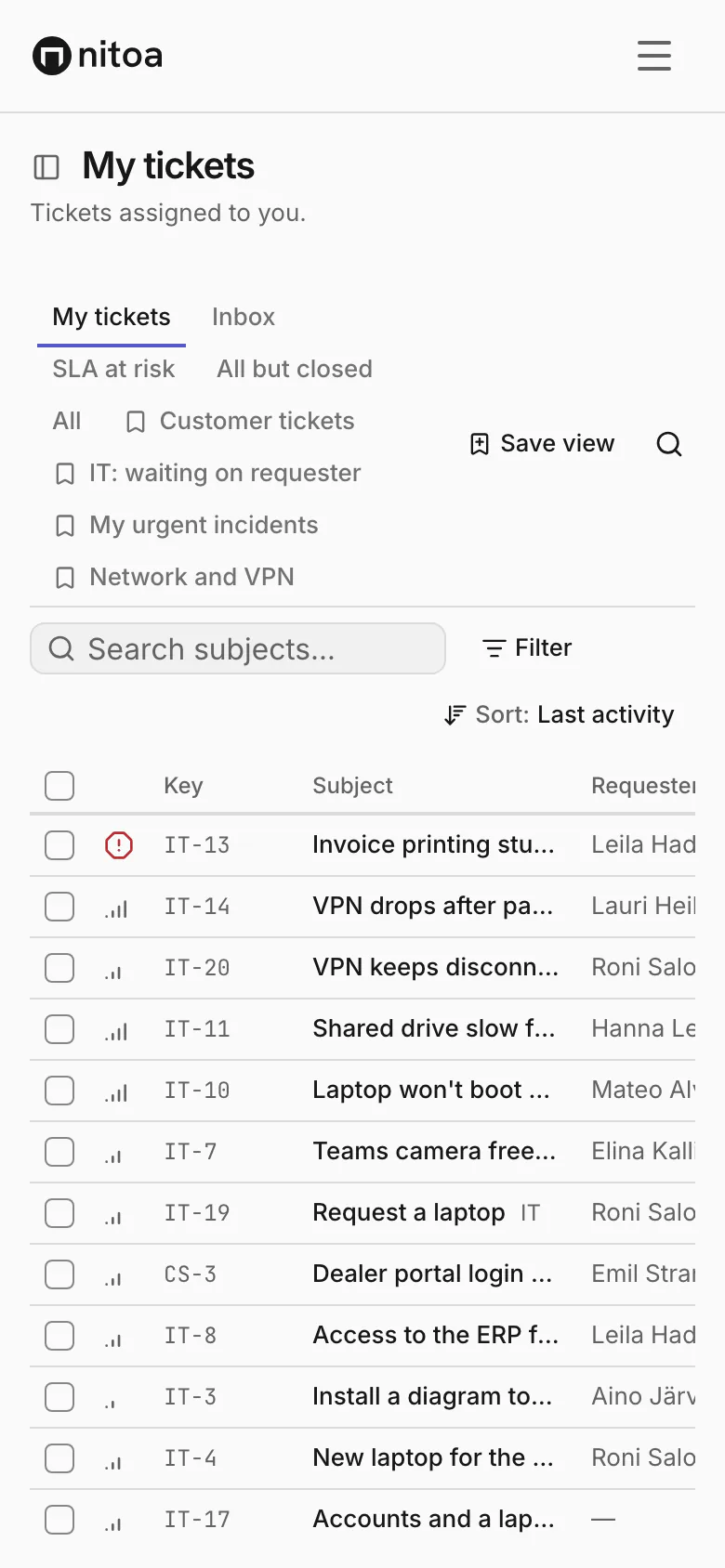
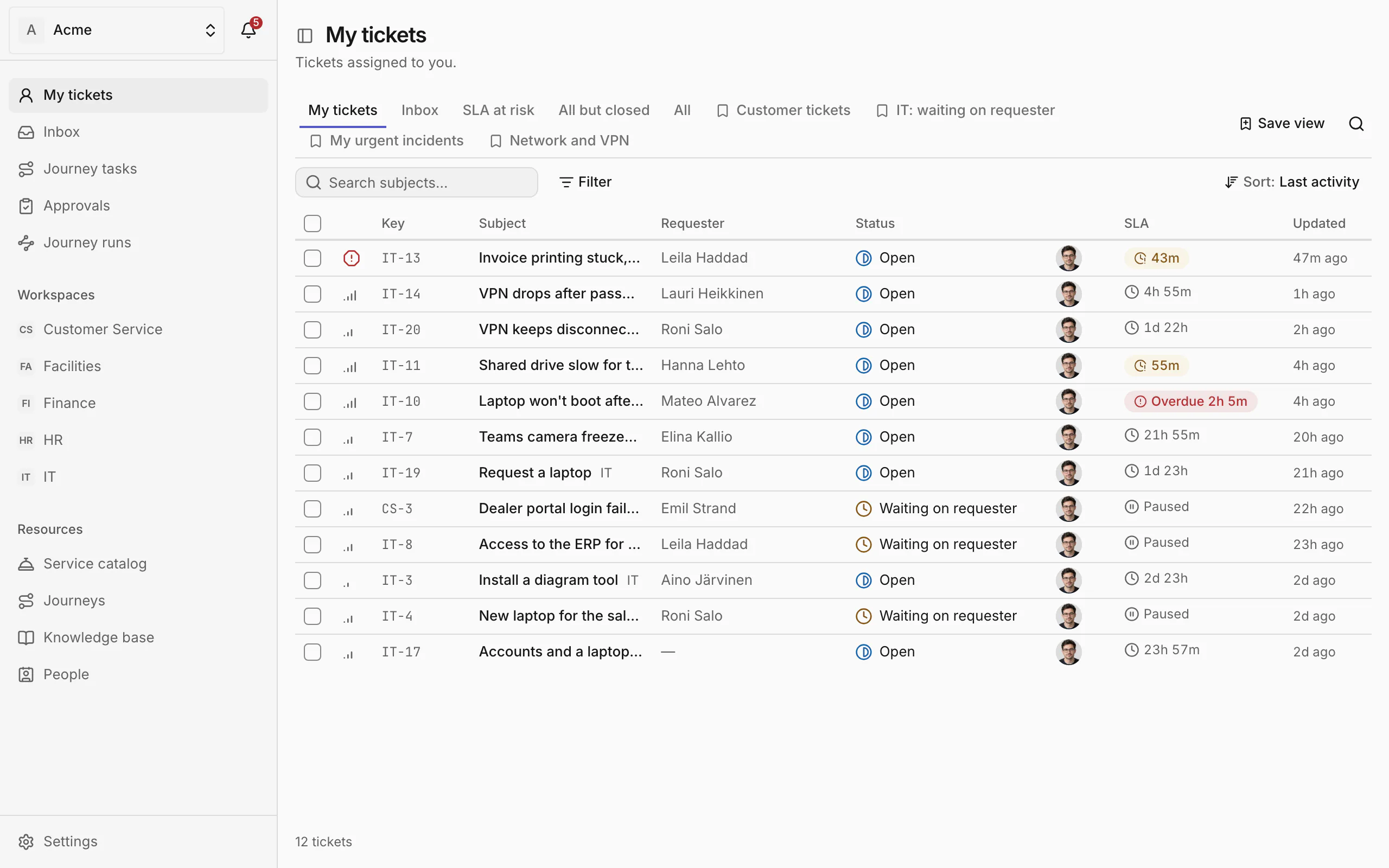
People ask in plain words and follow their requests in the portal, while the service team works the same requests in its inbox. The portal chat answers from the knowledge base and hands off to a person in the same thread.




Ask from where you already work
People ask where they already are, and the request lands in the right department's inbox.
- Email (Microsoft 365 and Google Workspace shared mailboxes)
- Your own portal
- Chat in the portal, with a hand-off to a person
- Microsoft Teams
- Slack
- Claude, including Cowork
- ChatGPT
Everything in one place
The parts of Nitoa that work together on every request.
See how each part worksFor service teams
- Requests and the inboxOne inbox per department, with the whole conversation.
- Routing and SLAsRules send requests to the right group; SLAs keep time visible.
- Email and channelsShared mailboxes, portal chat, Teams, Slack, Claude and ChatGPT.
- Knowledge baseVersioned articles that answers come from, with sources.
- JourneysOnboarding and other processes that cross departments.
- Vendors and external partiesOne link, one task, no account.
Give your team its first agents
Leave your work email and the size of your organisation. We'll write to you when there's a place for yours.
We use your details only to reply. Privacy policy